 Price Guarantee
 +37% Higher Payouts
 Trust Verified Buyers
 FREE Shipping
Using BankMyCell, you can sell your old device for cash in 3 simple steps. You'll get all the top quotes from trusted buyback stores in one place, earning you more and saving you time! This means you'll not only get paid the best price online in as little as 2 days, but also receive with FREE shipping & zero hassle returns if you change your mind!
Unlike other trade-in platforms, our buyback partners pay you in cash instead of store credit or gift cards. We're talking higher payouts, with no strings attached, so you can spend a larger sum of money on what you want!








What your Insta360 camera is worth is based on several factors such as model, camera type, condition and where you plan to sell.
360 Cameras vs Action Cameras vs GO Cameras vs Webcams
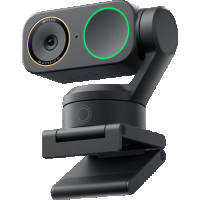
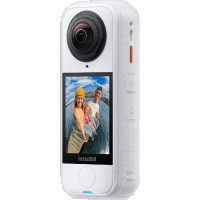
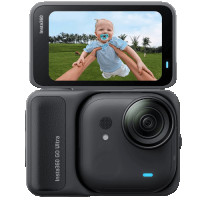
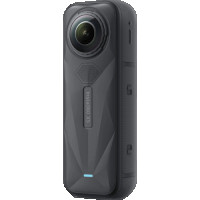
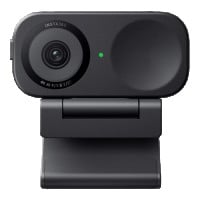
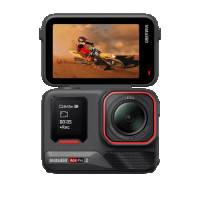
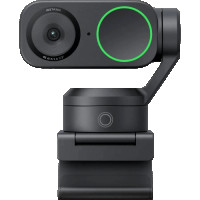
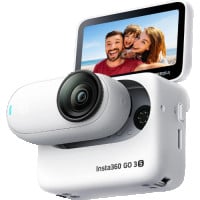
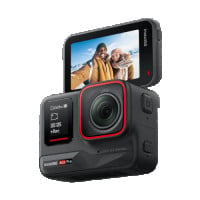
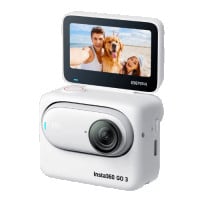
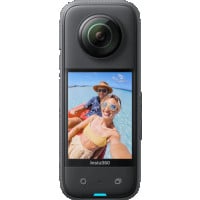
Insta360 currently sells products in several categories — professionally designed cameras, action cameras, portable 360 cameras and compact webcams. Individual trade values vary between product lines since higher-end 360 cameras (like the Insta360 X4 and X5) and professional cameras will always sell for more than their original MSRP. Action cameras (Insta360 Ace series) also maintain good resale value due to their popularity with creators. Low-cost GO cameras and Link webcams are smaller, less powerful and sold at much lower prices, so they have the cheapest buyback values.
Regardless of series, the resale value will vary by individual condition, included accessories and selling platform.
Local retailers and online marketplaces will give you different trade-in values. Since Insta360 cameras aren't phones or tablets, trade-in programs are extremely limited. Here's how different selling methods stack up.
Retail buyback programs & In-store retail store offers
Unfortunately, Best Buy, GameStop, Walmart, Target, etc. do not have trade-in programs for action cameras or 360 cameras. Unless your camera was bought as part of a bundle with an eligible device (like a mobile phone), you will not be able to sell your Insta360 camera to a brick-and-mortar retail store.
Insta360 cameras are considered specialty devices with very limited retail acceptance.
Online buyback stores
BankMyCell researches online buyback stores that actually buy Insta360 cameras. We've compared price offers and services to provide the best places to sell your Insta360 camera.
We list stores that pay Cash INSTANTLY (not store credit), offer free shipping, and have simple device selling processes.
eBay, Swappa, Facebook Marketplace
Marketplaces allow you to set your own price. Demand for your camera model will vary by region and you have no guarantee that anyone will buy it. At least selling on eBay gives you protection as a seller and access to eBay customers.
You're responsible for creating the sales listing, communicating with buyers, and shipping the camera once sold.
There aren't many places to sell an Insta360 camera. Options are limited when compared to selling phones or tablets. Once you find places that will actually buy your Insta360 camera, cash payment matters too (many sites offer store credit only).
We did the research and listed the top trade-in options to get you the highest value for your Insta360 camera.
BankMyCell compares trusted online buyback stores that strive to offer the best prices for Insta360 cameras.
We help you find which company offers the highest payout and let you keep the cash using your payment method of choice — direct deposit, PayPal, check, Zelle, and more. The stores we partner with also offer free shipping labels so you don't have to pay for shipping.
Sell your Insta360 camera with BankMyCell and you'll receive:
Insta360 has a built-in trade-in program where you can mail in your camera for a coupon code worth up to $40 in credit on the Insta360 Store. This is only useful if you were planning to upgrade to a new Insta360 camera anyway. You will NOT receive cash for your trade-in, though you can track your Insta360 trade-in progress on their website.
If you'd rather sell your Insta360 camera for cash, compare offers from online buyback stores through BankMyCell.
Not sure about dealing with online buyback stores? Try listing your Insta360 camera on eBay, Swappa, or Facebook Marketplace.
You have final say on price but will have to manage the sale yourself.
You have a couple options if you want to sell your Insta360 camera locally.
Our buyback store partners make it easy to sell your Insta360 camera. Simply package and drop off your camera at any local UPS, USPS, or FedEx store using the FREE prepaid shipping label. The store receives it, inspects your camera, and you'll get paid within 24-48 hours.
Sell your Insta360 camera through BankMyCell and you will receive:
Find local buyers on Facebook Marketplace but know that Insta360 camera demand will vary greatly by location.
Yes, you can sell a damaged Insta360 camera. Many places will not accept cracked cameras, ones that don't turn on, or damaged parts. BankMyCell has partners that buy Insta360 cameras of all conditions. Purchased cameras are either refurbished by the store or used for parts.
Repairing your Insta360 camera before selling will cost more money than what you'll get for it. Sell your broken camera as-is and let the buyer decide if they want to fix it.
Conditions we know are accepted include:
If you plan on taking your Insta360 camera to Best Buy, Walmart, GameStop or your local electronics store...forget it. There aren't any trade-in programs available through major retailers for Insta360 cameras.
Instead, compare online options through BankMyCell.
When selling on marketplaces:
Just like trading in your phone, you should prep your Insta360 camera before selling. Condition matters! Buyback stores pay more for cameras in better condition and won't accept cosmetic defects like cracks and dents. They'll inspect your camera after shipping so include all important accessories too!
Preparing your Insta360 camera before selling will help you get the most money.
How to Prep Your Insta360 Camera for Sale:
It's always best to factory reset your Insta360 camera BEFORE selling. Doing this deletes personal settings and Wi-Fi information stored on the device.
Resetting instructions vary by model series. Check below to properly factory reset your Insta360 camera.
Don't see your model? Take a look at BankMyCell.com and find your exact model in our list of Insta360 cameras.
Important: Factory resetting your Insta360 camera does NOT delete files saved to your SD card. Be sure to delete/format your SD card separately before selling.
The ONE X2 cannot factory reset in the same way as other Insta360 cameras. Before selling your ONE X2:
Insta360 professional cameras cannot be factory reset. Take these simple steps to prep your professional camera for sale:
Don't know your exact camera model? Get an accurate trade-in value by identifying your camera first.
Check your Insta360 camera model using these methods:
If your camera has a touchscreen (X3, X4, X5, Ace series, GO Cameras with Action Pod) swipe down from the top right corner on the screen to open Settings. Tap Settings > About or Settings > Device Info. Find your Insta360 camera's model name and serial number.
Connect your Insta360 camera to the Insta360 app on your phone. Open Settings > Device Information to find the model name and serial number.
Grab the original box your Insta360 camera came in. The exact model name and serial number is printed on the box. Some cameras even have the serial number on the body.
Visit BankMyCell.com and click on Insta360 to see all the different models they accept for sale. Camera images are displayed to help you identify your model. You can also use the search bar at the top to lookup your camera.


BankMyCell: The service offers an independent resale price comparison from popular iPhone trade-in companies. Helpful if you're looking to get paid a specific way, or you want to pick the store that does the longest price freeze, giving you time to upgrade without getting stung by price drops.

Brad Tuttle
Senior Editor at Money.com