CART
No items in cart
Sell Electronics
MENU
Previous
Price Guarantee Price Guarantee

Double Payout +37% Higher Payouts
Trust Verified Buyers Trust Verified Buyers
Free Shipping FREE Shipping
Next

Sell Your Google Pixel Watch & Trade-in For Cash

Select your device below, and you’ll compare prices from trusted Google Pixel watch trade-in companies to get your true resale value.

  • Find Your Device
  • Compare Prices
  • Confirm Your Sale

How Our Service Works

Using BankMyCell, you can sell your old device for cash in 3 simple steps. You'll get all the top quotes from trusted buyback stores in one place, earning you more and saving you time! This means you'll not only get paid the best price online in as little as 2 days, but also receive with FREE shipping & zero hassle returns if you change your mind!


Unlike other trade-in platforms, our buyback partners pay you in cash instead of store credit or gift cards. We're talking higher payouts, with no strings attached, so you can spend a larger sum of money on what you want!


Money icon
Get Instant Quotes From 20+ Verified Buyback Stores
Compare prices and payment options from pre-qualified buyback stores, all are real businesses with 1,000's of 4-5 star customer reviews.
Shipping icon
Get FREE Shipping at the nearest USPS, UPS, or FedEx
Choose a buyer based on price, reviews, and payment options. Then follow the steps for your pre-paid shipping label. Pack and ship!
Payment icon
Get Paid Cash Fast Instead of Low-Ball Carrier Credit
In 24-48 hours, the buyback store checks the device and sends your cash via PayPal, Direct Deposit, Check, Cash App, or Zelle.

Why Use BankMyCell?

More CASH, No Store Credit
BankMyCell's tablet trade-in comparison service gets you what your old device is actually worth - paid in cash! No low-ball store credit traps here my friends!
Verified, Trusted Stores
Every buyback service listed is approved and verified. These sites are the most trusted brands, all with 1,000’s of customer reviews from Google, Reddit, BBB & more.
Sell Later With Price Locks
That's right, once you fill in the form to accept the quote, your price gets frozen for up to 30 days. With prices dropping every day, lock in today’s quote, and sell later.
100% FREE & Risk-FREE
All stores offer a ZERO obligation sale. Get FREE shipping from thousands of locations AND get your device sent back for FREE if you got anything wrong to make the quote change!

How to Sell Your Google Pixel Watch for Cash

Common Google Pixel Watch Trade-in FAQs & Selling Tips

Multiple factors determine your Google Pixel Watch trade-in value, like which generation you own, its connectivity type, and its cosmetic and functional condition. BankMyCell compares prices from reputable buyback stores, displayed on our website, to easily see which offers the highest payout for your Pixel Watch.

Google Pixel Watch pricing is determined by:

  • Model: Pixel Watch 1, Pixel Watch 2, Pixel Watch 3, Pixel Watch 4 (Newer models worth more)
  • Connectivity: Wi-Fi only or Wi-Fi + LTE (LTE models are worth more)
  • Watch Size: 41mm or 45mm (only for Pixel Watch 3 and Pixel Watch 4)
  • Condition: Flawless, Good/Used, Cracked, Broken or Faulty

Yes, you can trade in your Google Pixel Watch through the Google Store, but you'll only receive Google Store credit that goes toward the purchase of a new Pixel device. If you're looking to sell your old Pixel Watch for actual cash, your best option is to go through an online buyback company.

Here are several reasons why selling through one of BankMyCell's buyback partners beats Google's trade-in program:

  • Get PAID – cash! versus store credit you can only use at Google.
  • Sell old device without purchasing a new one. (Google wants you to trade-in old for new Pixel)
  • Free conveniently mail-in shipping using a prepaid shipping label – no trips to the store required.
  • Don't deal with sketchy marketplace sellers. Offers are GUARANTEED once accepted.
  • Avoid eBay fees and PayPal processing fees that eat into your profits.
  • Get paid QUICKLY (24-48 hours) once your device has been inspected versus waiting weeks for credit to process.

There are many different ways you can sell your Google Pixel Watch for cash. Here are some of the best options available to consumers:

BankMyCell

Sell Google Pixel Watch for cash using BankMyCell's price comparison website. We aggregate offers from trusted buyback partners that specialize in electronics.

  • Locate your Pixel Watch model on our website by scrolling through models or using the search box at the top of the page.
  • Compare cash offers from competing buyers all in one place to find the best deal.
  • Pack up the device and ship it off using the free prepaid shipping label included with your order.
  • Receive payment via direct deposit, PayPal, check, or another method within 1-2 business days of inspection.

Online Marketplaces

Technology marketplaces like eBay or Facebook allow you to connect with individual buyers.

  • Insider Tip: eBay seller fees are 10-15% and PayPal charges processing fees of around 3-4%. These fees will drastically decrease your payout.
  • Insider Tip: You're responsible for creating listings, taking photos, responding to buyer inquiries, and shipping the device yourself.
  • Insider Tip: Once you find a buyer, sales aren't guaranteed. If the buyer cancels, you must relist the device. Additionally, smartwatches don't sell on eBay as well as cell phones do.

Retail Stores

Many electronics retailers have some sort of smartphone and smartwatch trade-in program. Your options may be limited when it comes to trading in a Google Pixel Watch compared to more popular smartwatch brands like Apple Watch and Samsung Galaxy Watch.

  • Insider Tip: Store acceptance will only give you store credit, not cash. Values will also be significantly lower than what you'd receive from online buyback stores.
  • Insider Tip: Best Buy may offer trade-in value for your Pixel Watch, as will carrier stores (Verizon, AT&T, etc.). Values vary.

Compared to other smartwatches on the market, you're better off selling your Google Pixel Watch online. Here's why:

Online Buyback (We Recommend)

BankMyCell's buyback store partners ship everywhere across the United States. Drop your parcel off at your local UPS, FedEx, or USPS shipping location using the free prepaid shipping label.

  • Insider Tip: Prices are higher when selling to online buyback companies. They have more customers looking to buy used devices and don't have overhead expenses that physical retailers do.

Local Marketplaces

Platforms like Facebook Marketplace can be used to find local buyers.

  • Insider Tip: There's a risk of danger when meeting strangers at your home to sell high-value electronics. If you do decide to go this route, meet in a public place during daylight hours.
  • Insider Tip: There isn't as high of demand for Pixel Watches as there is for other popular smartwatches. You may have to settle for a lower price to find a buyer in a reasonable time frame.

Carrier Stores

Pixel Watches with LTE require a monthly cellular plan from carriers like Verizon, AT&T, etc. If your smartwatch is active with a carrier, you may be able to trade it in. These programs typically roll the value into your bill as credit, not cash.

  • Insider Tip: These stores generally pay out in micro credit to your bill. You'll see $5-$10 credits for the next two years instead of one lump sum payment of cash.

Yes, broken or damaged Google Pixel Watches can be sold to certain buyback stores. Not all companies will accept a broken smartwatch, but BankMyCell has partnership sellback stores that will buy your smartwatch for parts and refurbishment purposes.

Conditions we accept:

  • Cracked or scratched screen/glass
  • Touchscreen is unresponsive
  • Faulty battery (Does not hold a charge, battery dies quickly, etc.)
  • Broken charging port/dock or faulty charging
  • Water damaged/liquid damaged
  • Broken speaker or mic doesn't work
  • Crown is not responsive or side button won't click
  • Heart rate not working
  • Google Pixel Watch won't turn on

Important distinction:

  • Cracked/Damaged: Refers to the watch powering on and functioning properly but has damaged cosmetic features. This includes glass scratches, scuffs on the casing, or cracked screen glass.
  • Broken/Faulty: Refers to the watch having functional problems. This includes issues with heart rate sensor, charging issues, software problems, or the watch won't power on.

Choose the condition that best describes your device to get your free quote. Even devices not in good condition can still be sold.

Online Buyback Sites: Sell your Google Pixel Watch to an online buyback service for cash. These services tend to provide the best trade-in values and offer cash for damaged or broken devices.

Google Store Trade-In: Trade-in with Google through the Google Store website. You'll be paid Google Store credit to go towards the purchase and upgrade of a new Pixel device. You won't receive actual cash and must purchase a new device to access this trade-in value.

Choose Google's trade-in program if you were planning on buying a new Google Pixel device anyways. Choose an online buyback store if you want fast cash for your device.

Sell My Google Pixel Watch: How Does It Work?

Questions Customers Frequently Ask BankMyCell

Knowing what model Google Pixel Watch you have is required to get a trade-in quote. Here's how to figure out which smartwatch model you own:

Through the Watch's Settings

  • On your Google Pixel Watch, swipe down from the top of the display.
  • Tap Settings.
  • Tap System.
  • Tap About.
  • You'll see your model name along with other device details.

Through the Google Pixel Watch App

  • Open the Google Pixel Watch app on your Android phone.
  • At the top of the app, you'll see your connected watch's model.
  • Tap the watch name to view more details about your smartwatch. Model number and software version are also listed here.

By Looking at the Device

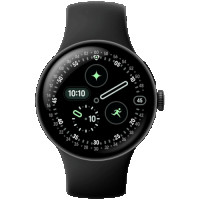
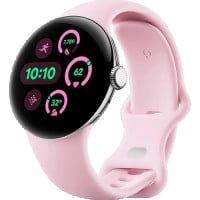
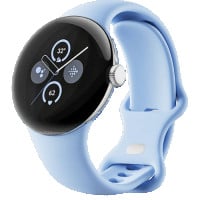
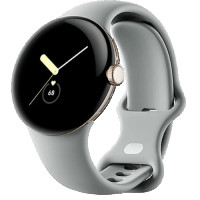
  • Pixel Watch 1: Comes in a 41mm model only. Round and domed design. Stainless steel or aluminum body. Features a physical crown and side button.
  • Pixel Watch 2: Available in a 41mm size. Aluminum body. New heart rate sensor located at the back of the device.
  • Pixel Watch 3: First to offer two sizes (41mm and 45mm). Aluminum body. Flat display with less bezel than previous generations.
  • Pixel Watch 4: Also comes in 41mm and 45mm. Aluminum body. Features a domed Actua 360 display and charges from the side with its charging dock.

Through BankMyCell

Visit BankMyCell's website and click Smartwatches > Google Pixel Watch to view each available model. Pictures of each watch make it easy to identify your model.

Make sure to protect your security by removing any personal information on your smartwatch before selling. Here's how to clear your Google Pixel Watch:

Before Selling Your Google Pixel Watch

  • Back up any information you'd like saved on the watch using Google One.
  • Cancel your cellular plan if you have an LTE Pixel Watch.
  • Erase your smartwatch's eSIM (Electronic SIM card) if it has LTE capability for security.
  • Remove your Google account from the device.
  • Factory reset your Pixel Watch to clear all of your personal data for security.
  • Physically clean your Pixel Watch with a microfiber cloth or cleaner. Wipe down charging cable/dock as well.
  • Include the charging cable/dock and any original accessories if you still have them.

Backup Data on Your Google Pixel Watch

  • On your Android phone, open the Google Pixel Watch app.
  • Tap Google Backup.
  • Turn backup on and wait for Google to verify your data is backed up successfully.
  • Ensure that your Google Pixel Watch is connected to Wi-Fi and on its charger. Backing up all of your data can take some time.

Perform a Factory Reset (Deletes All Your Data)

Method 1: Using Your Google Pixel Watch

  • On your Google Pixel Watch, swipe down from the top of the screen.
  • Tap Settings.
  • Tap System.
  • Scroll down and tap Disconnect & reset.
  • Check the box to Erase eSIM if your watch is an LTE model.
  • Confirm you'd like to factory reset your Google Pixel Watch.

Method 2: Using the Google Pixel Watch App

  • Open the Google Pixel Watch app on your Android smartphone.
  • Tap System.
  • Tap Reset and unpair watch.
  • Confirm you'd like to reset your device.

Notes: Factory resetting your Google Pixel Watch will remove ALL apps, settings, and personal data from your device to protect your information. Make sure your backup is completed first. If you purchased an LTE Pixel Watch, don't forget to cancel your cellular plan with your carrier after erasing your eSIM. Otherwise, you'll continue to be charged every month.

Sell My Locked Pixel Watch or Sell My Contract Pixel Watch

Sell Your Locked or Contract Pixel Watch For Cash

Yes, you can sell your Pixel Watch even if your Google account is still connected to the device and you can't remove it. You'll be able to sell it through one of BankMyCell's buyback partners. Just note that the trade-in value will be significantly lower because the watch is locked to an account.

To get the maximum value for your Pixel Watch, follow these steps to remove your Google account from your smartwatch before selling:

  • Open the Google Pixel Watch app on your phone.
  • Tap Accounts & security.
  • Locate the Google account attached to your smartwatch and remove it.
  • Follow the steps above to factory reset your Google Pixel Watch.

Yes, you absolutely can sell your Pixel Watch even if you haven't completely paid off the device. When you bought your Pixel Watch on a payment plan, you signed a credit agreement that makes you the legal owner of the device.

Here's how to sell your Pixel Watch if it isn't paid off:

  • Locate your Google Pixel Watch model on BankMyCell.com.
  • Click 'Financed' at the top of the quote page to filter our offers.
  • Compare trade-in values displayed from competing online buyback stores.
  • Use the cash from your smartwatch sale to help pay off your remaining balance.

Selling your LTE Google Pixel Watch that has been blacklisted or has a bad ESN (Electronic Serial Number) is possible through BankMyCell's buyback partners. Just be aware that you won't receive as much value for it. Before you sell your phone, you'll need to confirm that you're the rightful owner of the device.

Follow these steps to sell your blacklisted Pixel Watch:

  • Find your Google Pixel Watch model on BankMyCell.com.
  • Select 'Blacklisted' at the top of the quote page to filter results.
  • Compare resale values from competing online buyback stores.
  • Insider Tip: Contact your carrier about getting your device removed from the blacklist. You'll receive more money for your Pixel Watch if it's completely unlisted.

Why Choose BankMyCell?

Quotes Compared
129231
Quotes Compared
We get price updates every 15 minutes, so you can compare the market in seconds.
Quotes Compared
15
Trusted Buyers
Compare trusted stores with 1,000’s of 5-star ratings. All stores are approved by our experts.
Quotes Compared
608
Gadgets to Sell
They can choose from 100’s of cell phones, tablets, smartwatches, consoles, and gadgets.
Quotes Compared
$14.8M
Extra Earned
By comparing at BankMyCell, people like you have earned an extra $14.4 Million.

BankMyCell: The service offers an independent resale price comparison from popular iPhone trade-in companies. Helpful if you're looking to get paid a specific way, or you want to pick the store that does the longest price freeze, giving you time to upgrade without getting stung by price drops.

Brad Tuttle

Brad Tuttle

Senior Editor at Money.com

As Featured In
As seen in mainstream media
As seen in mainstream news
As seen in mainstream media