 Price Guarantee
 +37% Higher Payouts
 Trust Verified Buyers
 FREE Shipping
Using BankMyCell, you can sell your old device for cash in 3 simple steps. You'll get all the top quotes from trusted buyback stores in one place, earning you more and saving you time! This means you'll not only get paid the best price online in as little as 2 days, but also receive with FREE shipping & zero hassle returns if you change your mind!
Unlike other trade-in platforms, our buyback partners pay you in cash instead of store credit or gift cards. We're talking higher payouts, with no strings attached, so you can spend a larger sum of money on what you want!








The trade-in value of your Steam Deck depends on your device model, screen type (LCD or OLED), storage capacity, cosmetic and hardware condition, and where you choose to sell it.
Both models of the Steam Deck trade-in for different prices. OLED versions offer users better resale value because of the enhanced screen quality, longer battery life, and quicker charging speed. LCD devices retail for cheaper prices in the secondhand market, meaning they're worth less but are more attractive to budget shoppers.
Additionally, Steam Decks with higher storage options will increase the payout within their designated model ranges (OLED vs. LCD). When comparing conditions between two Steam Decks, inspectors look closely at the screen, joysticks, and buttons to verify their condition.
Not all places will buy your Steam Deck trade-in for the same price. BankMyCell researched several selling options to find the best cash offers for your console.
Sell Steam Deck to Online Buyback Stores
BankMyCell aggregated trusted online buyback stores offering the best prices for your Steam Deck trade-in. Shop our buying stores to see live quotes on our site and get paid quickly. They pay via PayPal, check, direct deposit, and other payment methods.
Sell Steam Deck to a Retail Store
Unfortunately, major electronics retailers don't accept trade-ins for Steam Deck consoles. Handheld gaming PCs like the Steam Deck are not as widely accepted at retail locations as traditional game consoles or cell phones.
GameStop will purchase your Steam Deck trade-in at their physical retail locations. Keep in mind you'll receive significantly less money than dealing with online buyback stores — the price difference can be substantial.
Sell Steam Deck on Marketplaces
eBay, Swappa, Facebook Marketplace allow users to list their products at any price point. If a buyer purchases your unit, you get to keep the profit. On the downside, you're not guaranteed a sale. You're responsible for creating the product listing, communicating with each buyer, and shipping the item at your cost. eBay and Swappa charge seller fees that cut into your final payout.
BankMyCell rounded up the best trade-in options to help you find your Steam Deck's true value. We offer simple services and are compensated by our buying partners, meaning you receive maximum payouts and no hidden fees.
BankMyCell Features:
You may trade in your Steam Deck console to GameStop if you would rather not sell it online. GameStop offers cash payment, Venmo, or store credit for your console.
GameStop provides less compensation compared to buying stores online. Additionally, you are limited to GameStop's inventory if you select store credit. GameStop may also deny your console if it's in poor condition.
You can sell your Steam Deck on eBay, Swappa, or Facebook Marketplace. Take your pick when price listing your Steam Deck console. There's a catch, you will have to create a listing, find a buyer, and ship the item yourself.
Each store within BankMyCell has a network of shipping providers to simplify your trade-in. We've partnered with companies that provide UPS, USPS, and FedEx drop off locations. Print the FREE prepaid shipping label on our site and drop off your package at a location near you.
BankMyCell offers the following when selling your Steam Deck:
Find a GameStop near you to sell your Steam Deck console. Although this is the least profitable option, it's quick and easy.
GameStop gives you payment in the form of store credit, cash, or Venmo. They pay less than online buyback stores.
Yes, you can sell broken or damaged Steam Decks to most stores. BankMyCell affiliates with companies that accept consoles in various conditions for parts or refurbishment purposes.
Fixing your Steam Deck will most likely cost you more money than what you're selling it for. In most cases, it's best to sell your defective console as-is and allow the company to repair it.
Below conditions are usually accepted when trading in your Steam Deck.
Below are reasons why selling your Steam Deck through BankMyCell is the optimal solution. Select the option that works best for you.
Our buying stores offer live quotes directly on our site, and you can lock in prices for up to 30 days.
Condition matters when selling electronics. Clean your Steam Deck and double-check your account is signed out before selling.
Steps to take before selling your Steam Deck:
Bonus: Include all accessories if possible. Boxes and carrying cases help increase your console's resale value.
Give your Steam Deck a gentle wipe down. Use a microfiber cloth to clean the screen and dust off vents/joystick wells/buttons.
Selling your Steam Deck online? A factory reset prevents your account information from falling into the wrong hands. Use one of the following methods to wipe your Steam Deck memory clean.
Method 1:
Method 2:
Notes:
Take a few minutes to figure out your Steam Deck model. Providing the correct model information guarantees you the accurate quote.
Activate Gaming Mode on your Steam Deck, click the Steam button, and go to Settings > System. The Device Info menu displays your model, how much storage your device has, and the serial number.
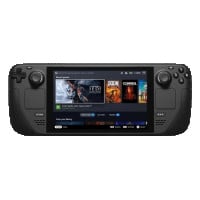
Both Steam Deck models are near identical, but you can easily identify them by looking at the screen. OLED models have a thicker screen and slim-design with yellow accents on the power button.
LCD models are boxy and have a standard black power button.
Visit our site and select Steam Deck to see console models displayed with pictures. You can also use the search bar to find your specific Steam Deck model and storage size. Contact our support team if you need help identifying your console.


BankMyCell: The service offers an independent resale price comparison from popular iPhone trade-in companies. Helpful if you're looking to get paid a specific way, or you want to pick the store that does the longest price freeze, giving you time to upgrade without getting stung by price drops.

Brad Tuttle
Senior Editor at Money.com