CART
No items in cart
Sell Electronics
MENU
Previous
Price Guarantee Price Guarantee

Double Payout +37% Higher Payouts
Trust Verified Buyers Trust Verified Buyers
Free Shipping FREE Shipping
Next

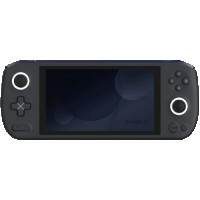
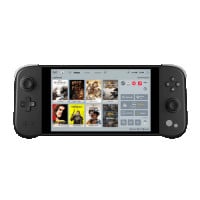
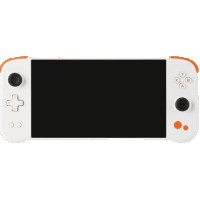
Sell AYANEO Games Consoles & Trade-in For Cash

Choose your AYANEO device below to compare quotes from trusted games console trade-in companies and get your actual resale value.

  • Find Your Device
  • Compare Prices
  • Confirm Your Sale

How Our Service Works

Using BankMyCell, you can sell your old device for cash in 3 simple steps. You'll get all the top quotes from trusted buyback stores in one place, earning you more and saving you time! This means you'll not only get paid the best price online in as little as 2 days, but also receive with FREE shipping & zero hassle returns if you change your mind!


Unlike other trade-in platforms, our buyback partners pay you in cash instead of store credit or gift cards. We're talking higher payouts, with no strings attached, so you can spend a larger sum of money on what you want!


Money icon
Get Instant Quotes From 20+ Verified Buyback Stores
Compare prices and payment options from pre-qualified buyback stores, all are real businesses with 1,000's of 4-5 star customer reviews.
Shipping icon
Get FREE Shipping at the nearest USPS, UPS, or FedEx
Choose a buyer based on price, reviews, and payment options. Then follow the steps for your pre-paid shipping label. Pack and ship!
Payment icon
Get Paid Cash Fast Instead of Low-Ball Carrier Credit
In 24-48 hours, the buyback store checks the device and sends your cash via PayPal, Direct Deposit, Check, Cash App, or Zelle.

Why Use BankMyCell?

More CASH, No Store Credit
BankMyCell's tablet trade-in comparison service gets you what your old device is actually worth - paid in cash! No low-ball store credit traps here my friends!
Verified, Trusted Stores
Every buyback service listed is approved and verified. These sites are the most trusted brands, all with 1,000’s of customer reviews from Google, Reddit, BBB & more.
Sell Later With Price Locks
That's right, once you fill in the form to accept the quote, your price gets frozen for up to 30 days. With prices dropping every day, lock in today’s quote, and sell later.
100% FREE & Risk-FREE
All stores offer a ZERO obligation sale. Get FREE shipping from thousands of locations AND get your device sent back for FREE if you got anything wrong to make the quote change!

How to Sell Your AYANEO Games Console for Max Cash

AYANEO Games Console Trade-in FAQs

The value of your AYANEO handheld games console depends on the model, processor speed, storage size, RAM, and your device's cosmetic and working condition. It'll also depend on where you choose to sell.

AYANEO Models & Resale Value

AYANEO offers several handheld gaming devices that vary in features like processor speed, display size, battery life, storage capacity, RAM, keyboard layout, price, and more. Generally, the most powerful models with quickest CPUs and largest storage will fetch higher trade-in prices. Lower end or legacy devices will still have value but at lower prices. Models marketed as Pro or Premium will command higher prices compared to baseline editions. Boutique devices like the AYANEO Flip offer strong resale value thanks to their luxury handheld features and unique form factor.

All else being equal, your device's condition and where you sell will affect your final value.

Where to Sell

AYANEO game consoles won't fetch the same value everywhere. We analyzed common selling locations to see where you'll get the most value for your device.

  • Online buyback stores: BankMyCell lists trusted online buyback stores that will buy your AYANEO handheld games consoles for top dollar with no selling fees. We list instant quotes on our page and work with partners that offer PayPal, check, direct deposit, gift card, and more payment methods.
  • Retail Stores: Sadly, there aren't many retailers that buy back AYANEO handheld trade-ins. Unlike other popular gaming consoles and handhelds, few brick-and-mortar stores accept AYANEO devices as they are niche products with low adoption. Additionally, you'll likely be limited to store credit or a gift card instead of cash when trading in at a physical retail store.
  • Marketplaces: Electronics can be sold on marketplaces like eBay, Swappa, and Facebook. The advantage of marketplaces is you set your own price. However, since demand for AYANEO handhelds is inconsistent by geography, there's no guarantee you'll make a sale. You're also responsible for creating the sales listing, communicating with buyers, and shipping the device.

AYANEO handheld games consoles are not mainstream, so your local options for selling are limited. But among the limited outlets, not all places will pay you cash, offer free shipping, or follow the same standardized process.

We wanted to find you the absolute best place to sell your AYANEO games console.

BankMyCell

BankMyCell compares offers from trusted online buyback stores so you can easily sell your AYANEO handheld games console. We only list verified, BBB-rated buyback stores to protect customers throughout the selling process.

We make sure you get the highest payout in cash sent fast to your preferred method of payment — direct deposit, PayPal, checks, Zelle, and more. Our partner buyback stores also offer free shipping labels and free returns if the price drops after shipping.

Sell Your AYANEO Games Console With BankMyCell And Get:

  • Accurate quotes and price comparisons from trusted buyers
  • Payment in Cash (not store credits or gift cards)
  • FREE prepaid shipping labels
  • FREE returns if price decreases
  • Fast payment (receives payment within 1-2 business days of device inspection)
  • No selling fees

Sell On Marketplaces

Marketplaces like eBay, Swappa, and Facebook allow you to create your own sales listings. When selling to individuals, you have more control over pricing. But the downsides are you'll have to manage the entire sales process.

  • Insider Tip: Up to 15% selling fees for listings on eBay. If you accept PayPal, expect to lose more money to payment processing fees.
  • Insider Tip: Since AYANEO devices are very niche, they may take longer to sell versus other consoles.
  • Insider Tip: You're responsible for taking photos of the device and all included accessories. Be sure to list specifics like processor type, RAM size, storage capacity, etc. so knowledgeable buyers know what they're getting.

Online buyback companies offer the best value for AYANEO handheld games consoles. Since most retailers don't accept trade-ins, you're better off selling online versus local.

BankMyCell – Local UPS, USPS, or FedEx Drop Off

Sell AYANEO games consoles with BankMyCell's trusted partners. We list companies on our page that buy back AYANEO consoles and simplify the process by providing a free prepaid shipping label. Label prints from any local UPS, USPS, or FedEx store.

All you do is securely package your device, attach the shipping label, and drop it off at your nearest shipping store. BankMyCellers get paid within 1-2 business days after the buyback store receives and inspects the device.

Sell Your AYANEO Games Console With BankMyCell and Receive:

  • Live quotes from and price comparison of trusted companies
  • Highest payout paid in cash
  • FREE prepaid shipping label (no shipping costs)
  • FAST PROCESSING (Payment within 1-2 business days)

Sell Your Device Locally

Marketplaces like Facebook let you connect with nearby buyers. However, since some cities have more tech adopters than others, AYANEO demand can vary dramatically by geography.

Sell Your Device Locally And:

  • Expect to meet in public places for safety
  • Allow the buyer to test your device
  • Doesn't guarantee a sale — most likely will negotiate price
  • No fees if sale does go through

Yes, you can sell broken AYANEO handheld games consoles. While most buyers prefer devices working 100%, BankMyCell partner stores buy devices for parts or refurbishment regardless of condition.

You should never pay to repair a broken device before selling. In most cases, the cost to fix your device will cost more than what you'll receive from selling it. Sell your device as-is and let the buyback company repair or refurbish the gadget.

Conditions typically accepted by buyers:

  • Screens that are cracked or scratched
  • Joystick drift/issues with game controls not working properly
  • Missing charger or any original accessories
  • Fan not working or device overheats frequently
  • Buttons unresponsive or stuck
  • Charging port damage
  • Battery no longer holds charge
  • Devices that won't power on

While you can attempt to sell your broken AYANEO locally on Craigslist or Facebook, the likelihood of finding a buyer near you is slim. Also, most merchants don't have trade-in programs for AYANEO consoles.

Sell Your Broken AYANEO Games Console Online with BankMyCell

  • Receive payment in Cash (not gift cards)
  • FREE shipping with prepaid shipping labels
  • FREE return label if offer decreases
  • Payment arrives quickly via PayPal, Check, Zelle, Direct Deposit, and more
  • Get instant quotes from multiple buyers
  • Price lock feature for up to 30 days

Try Selling Your Device Locally

Realistically, your best bet is selling locally through listing websites like eBay or Facebook.

  • Might receive more money if you negotiate with the buyer
  • Seller fees will cut into your profit (up to 15% for eBay)
  • No guarantee you'll make a sale
  • You are responsible for shipping the device
  • A more tedious process

Sell AYANEO Games Consoles: Need More Help?

AYANEO Games Console Checkout Help

Like any pre-owned electronics purchase, buyback stores will inspect your AYANEO handheld games console when you send it in. The goal is to make sure your device matches the description you provide on the sales form.

Here are some tips to help ensure you get top dollar for your device.

  • Sign out of all accounts to protect your security. Power down your AYANEO and sign out of any accounts your device is connected to. This includes Microsoft accounts, Steam, Epic Games, or any other game launcher accounts that may have been used on your device.
  • Gather all accessories. If possible, include all accessories that came with the device. Chargers, boxes, manuals, and any other items should be included.
  • Device should be clean. Give your device a deep clean before selling. Use a microfiber cloth to wipe the screen. You should also remove any dust built up in venting slots, around the joystick module, and button crevices.

Erasing your information is essential to protect your data and security before selling your device. While most of your personal info can be wiped via a factory reset, always double-check.

AYANEO devices run on Windows operating systems so two methods will work for resetting.

AYANEO One-Key System Restore

AYANEO came equipped with a built-in system restore feature that helps protect your personal data. It's a 3-button combination that wipes your device back to factory defaults.

The button combination changes slightly from model to model. You can confirm which buttons are needed for your model by following instructions below. However, the steps to initiate the reset are identical across devices.

  • Warning: This process will erase EVERYTHING on your system drive. Back up your files and data if you want to keep it.
  • Charge your device. Ensure your AYANEO has more than a 50% battery charge or plug it in to the charger. If your device turns off during the restore process, it will corrupt anything stored on the system drive.
  • Shut down your AYANEO completely. Restarting the device interrupts the process. Wait until the cooling fan powers down and the joystick lights turn off.
  • Press and hold the correct buttons for your device. Once your device is off, press and hold the correct button combination for your device (Power button + Volume button + Custom Button).
    • AYANEO 2021 and AYANEO Flip models: Press and hold the TM button.
    • AYANEO 2: Press and hold the RC button.
    • AYANEO Next, Next Pro, Next Lite: Press and hold the Custom button located in the bottom right of the keyboard.
  • Power on the device. After pressing the three buttons, turn the device back on by pressing the power button.
  • Release buttons. When you see the yellow system restore screen, let go of all buttons.
  • Follow on-screen instructions. Once on the restore screen, follow the simple steps to begin restoration. The process will take 30 minutes during which you shouldn't touch the screen or press any buttons. When finished, your AYANEO games console will restart on the Windows welcome screen.

Windows Settings

Alternatively, you can reset your device back to factory defaults with the built-in Windows reset feature.

  • Step 1: Navigate to Settings > System > Recovery.
  • Step 2: Under "Reset this PC", click "Get started".
  • Step 3: Click "Remove everything" to delete all your personal files, apps, and Windows settings.
  • Step 4: Select "Local reinstall".
  • Step 5: Wait for the reset to complete.

The Sell AYANEO Devices page on BankMyCell features all available models and pictures to help you identify your device. If you still can't find your model, here are a few tips to identify your device.

Via Device Settings

Navigate to Settings > System > About to view your device name, processor, RAM size, and storage capacity.

AYA Space App

Launch the AYA Space app on your AYANEO device to view hardware specifications. This should provide the model name under hardware details.

Look At The Device

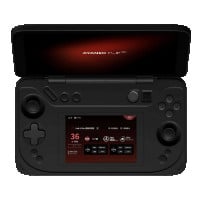
AYANEO is very specific with their branding and design. AYANEO Flip devices can easily be distinguished by their clamshell form factor. Simply looking at the back or bottom of your device should indicate the model name.

Use BankMyCell

Navigate to BankMyCell's AYANEO Games Consoles page and browse through the models. Each model comes with pictures to help narrow down your search. You can also use the search box to find your exact model.

Why Choose BankMyCell?

Quotes Compared
131001
Quotes Compared
We get price updates every 15 minutes, so you can compare the market in seconds.
Quotes Compared
15
Trusted Buyers
Compare trusted stores with 1,000’s of 5-star ratings. All stores are approved by our experts.
Quotes Compared
622
Gadgets to Sell
They can choose from 100’s of cell phones, tablets, smartwatches, consoles, and gadgets.
Quotes Compared
$14.8M
Extra Earned
By comparing at BankMyCell, people like you have earned an extra $14.4 Million.

BankMyCell: The service offers an independent resale price comparison from popular iPhone trade-in companies. Helpful if you're looking to get paid a specific way, or you want to pick the store that does the longest price freeze, giving you time to upgrade without getting stung by price drops.

Brad Tuttle

Brad Tuttle

Senior Editor at Money.com

As Featured In
As seen in mainstream media
As seen in mainstream news
As seen in mainstream media