CART
No items in cart
Sell Electronics
MENU
Previous
Price Guarantee Price Guarantee

Double Payout +37% Higher Payouts
Trust Verified Buyers Trust Verified Buyers
Free Shipping FREE Shipping
Next

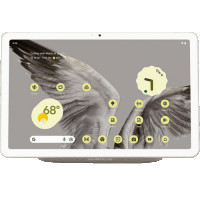
Sell Your Google Pixel Tablet & Trade-in For Cash!

Choose your Google tablet below to compare prices from trusted trade-in companies and instantly find your real resale value.

  • Find Your Device
  • Compare Prices
  • Confirm Your Sale

How Our Service Works

Using BankMyCell, you can sell your old device for cash in 3 simple steps. You'll get all the top quotes from trusted buyback stores in one place, earning you more and saving you time! This means you'll not only get paid the best price online in as little as 2 days, but also receive with FREE shipping & zero hassle returns if you change your mind!


Unlike other trade-in platforms, our buyback partners pay you in cash instead of store credit or gift cards. We're talking higher payouts, with no strings attached, so you can spend a larger sum of money on what you want!


Money icon
Get Instant Quotes From 20+ Verified Buyback Stores
Compare prices and payment options from pre-qualified buyback stores, all are real businesses with 1,000's of 4-5 star customer reviews.
Shipping icon
Get FREE Shipping at the nearest USPS, UPS, or FedEx
Choose a buyer based on price, reviews, and payment options. Then follow the steps for your pre-paid shipping label. Pack and ship!
Payment icon
Get Paid Cash Fast Instead of Low-Ball Carrier Credit
In 24-48 hours, the buyback store checks the device and sends your cash via PayPal, Direct Deposit, Check, Cash App, or Zelle.

Why Use BankMyCell?

More CASH, No Store Credit
BankMyCell's tablet trade-in comparison service gets you what your old device is actually worth - paid in cash! No low-ball store credit traps here my friends!
Verified, Trusted Stores
Every buyback service listed is approved and verified. These sites are the most trusted brands, all with 1,000’s of customer reviews from Google, Reddit, BBB & more.
Sell Later With Price Locks
That's right, once you fill in the form to accept the quote, your price gets frozen for up to 30 days. With prices dropping every day, lock in today’s quote, and sell later.
100% FREE & Risk-FREE
All stores offer a ZERO obligation sale. Get FREE shipping from thousands of locations AND get your device sent back for FREE if you got anything wrong to make the quote change!

Best Way To Sell Your Google Pixel Tablet For the Most Cash

Google Pixel Tablet Trade-in FAQs

The trade-in value of your Google Pixel Tablet will vary based on storage size, conditions, and whether or not it includes the Charging Speaker Dock. BankMyCell compares prices based on your Google tablet model from reputable buyback stores to help you find the most cash for your Pixel Tablet.

Prices based on:

  • Storage Size
  • Condition
  • Google Bundle

While Google offers an official trade-in program, the trade in process with Google gives store credit in the form of Google Store credit towards your new Pixel purchase — not cash.

When selling through BankMyCell, you'll receive cash offers from multiple buyback companies who specialize in purchasing tablets like the Pixel Tablet. The difference is simple: you get paid cash, not store credit.

Here's why you should sell your Pixel Tablet with one of BankMyCell's buyback store partners:

  • Receive payment via PayPal or direct deposit/check – not store credit from the Google Store.
  • BankMyCell partners pay you CASH – there is no new device purchase required like Google's own trade-in program.
  • Free shipping included with a prepaid shipping label – no need to visit a physical store.
  • Buyback stores won't leave you high and dry like posting your tablet on Craigslist or Facebook – if they accept your offer, you're guaranteed payment!
  • Avoid eBay's $30 listing fee and 15% final sale fee. BankMyCell partner stores don't charge additional selling fees.
  • Get paid fast. Most BankMyCell buyback stores provide payment within 1-2 business days of your tablet's arrival.

If you want to sell your Google Pixel Tablet online for cash, you can do so with BankMyCell. Millions of sellers have used our brand to find valid cash offers for their devices — including phones, tablets, and watches.

Sell Google Pixel Tablet for Cash with BankMyCell

Browse BankMyCell for buyers who specialize in Google tablet sales like your Pixel Tablet.

  • Search BankMyCell for Google Pixel Tablet.
  • Compare all cash offers side-by-side based on your device conditions.
  • Click "Ship Item" to initiate shipment with a FREE prepaid shipping label.
  • Receive payment in your chosen method within 1-2 business days of receipt!

Sell on Online Marketplaces

Sites like eBay or Facebook Marketplace allow you to connect with individual buyers.

  • Insider Tip: eBay seller fees are up to 15%, and you'll also be hit with PayPal's fees (average 3-4%). These fees significantly decrease your payout.
  • Insider Tip: You are responsible for creating the listing, taking pictures, communicating with potential buyers, packaging your device, and shipping. Basically, everything except actually selling your phone.
  • Insider Tip: You aren't guaranteed a sale when using online marketplaces. The buyer can always back out or request a return at any time after purchase.

Sell at a Retail Store

Few brick-and-mortar stores buy back tablets. Those that do probably won't buy Google Pixel Tablets due to limited brand recognition in the Google tablet resale market.

  • Insider Tip: Retail buyback values are typically offered as store credit against a new purchase. You'll also likely receive lower trade-in value than what BankMyCell buyback stores offer.
  • Insider Tip: Walking into a retail store locks you into buying from them and only allowing negotiate on their price. With online buyback stores, you can always find a higher price by searching elsewhere.

Yes, broken or damaged Google Pixel Tablets have value. Most BankMyCell buyback partners purchase tablets to be refurbished and sold for parts.

Your Pixel Tablet can be cosmetically damaged (scratches/dings), defective, or completely broken and our partners will likely still give you a fair offer. Select the conditions below that work for your device.

Conditions we buy:

  • Cracked screen
  • Scratch, dent, or damaged frame
  • Broken screen (pixels aren't turning on) or an unresponsive touch screen
  • Broken charging port or won't charge
  • Broken battery (battery won't charge, swelled battery, etc.)
  • Broken speaker(s) or won't play sound
  • Broken camera or camera won't turn on
  • Software problems/glitches
  • Tablet won't turn on

NOTE: When we say broken, we mean...

  • Broken/Damaged: Device still turns on and works but has some sort of cosmetic damage.
  • Broken/Faulty: Device has some type of fault that doesn't allow it to turn on or operate normally.

Select the condition that most closely resembles your device's conditions to receive a valid estimate.

Google does have a trade-in program where you can sell your Google Pixel Tablet directly to them through the Google Store. But, there are major differences when compared to selling your Google tablet through an online buyback company.

Online Buyback Companies (More Payout)

  • Payment methods: Cash via PayPal, direct deposit, or check
  • Free Shipping provided by BankMyCell's partners
  • No new purchased device requirement — sell without buying
  • Fast payment turnaround (Payment within 24-48 hours of inspection)
  • All conditions accepted, including broken tablets and phones!

Google Store Trade-In Values

  • Payment method: Store credit toward the Google Store or a refund issued to original method of purchase – not cash payout
  • Must purchase a brand new Google Pixel device to receive a trade-in value for your Google Pixel Tablet
  • Estimated trade-in value is only valid for 30 days based on the description provided at time of estimate
  • Your device must be received by Google's trade-in partner, who will inspect it to determine the final value. Once received, the turnaround time is 3-4 weeks
  • If the purchased device is returned before the trade-in is processed, your trade-in may be cancelled
  • Devices returned that don't match the description provided will receive a revised trade-in value

If you're looking to sell your Pixel Tablet for cash and don't want to be tied to another Google purchase, selling through an online buyback service like BankMyCell is the way to go. If your device is returned by Google due to a value dispute, you've wasted weeks. Only trade in with the Google Store if you plan on getting a new Pixel Tablet anyways.

How To Identify Your Google Pixel Tablet Model

What Information Do I Need To Sell My Google Pixel Tablet?

In order to get an accurate quote for your Google Pixel Tablet, you will need to know your model, condition, and storage capacity. Below are steps to identify your exact device:

Find Model Information In Settings

  • Tap on Settings on your Google Pixel Tablet.
  • Scroll down to About tablet.
  • Find model name and storage information.

Quick Specs To Identify Your Google Pixel Tablet

Your Google Pixel Tablet has a glass back panel that is nano-ceramic coated, giving it a textured feel similar to porcelain.

Google Pixel Tablet comes in 3 colors: Porcelain, Hazel, and Rose.

Head to BankMyCell to Find Your Tablet

Go to BankMyCell and search Google Pixel Tablet. You'll see pictures of each tablet we buy along with the storage capacities we buy. Scroll down and select your device's storage capacity and conditions for an instant price quote.

Preparing & Clearing Your Google Pixel Tablet To Sell

Trade-in FAQs and Answers

Before listing your phone for sale, you'll need to backup/remove your personal information and Google account. If you don't wipe your Google account data, the new owner won't be able to use your Google Pixel Tablet due to Factory Reset Protection (FRP).

Backup/Transfer Your Information To The Cloud

  • Open Settings App.
  • Tap System > Backup.
  • Toggle on "Backup by Google One".
  • Hit "Back up now" to backup your information to the cloud.

Remove Your Google Account

  • Open Settings App.
  • Tap Passwords & accounts.
  • Select your Google account.
  • Tap Remove account at the bottom.

Make sure to remove your Google Account BEFORE doing the factory reset. Why? Factory Reset Protection (FRP) is a security feature that requires you to verify your Google Account after resetting your phone. Don't forget this step or you'll be leaving the new owner upset with you!

Reset/Delete All Information

  • Hold Volume Down button and Power button simultaneously until you see "Reset options".
  • Press "Erase all data (factory reset)" then "Erase all data" to confirm.

Tips for Selling Your Tablet

  • Clean your Google Pixel Tablet. Screenshots of dirty devices decrease your chances of selling and lower offers from buyers.
  • Gather your Google Pixel Tablet accessories. Things like your Charging Speaker Dock and charger aren't required to get a great offer, but including them will definitely increase your payout.

Water damage is fairly easy to spot. Whether by using the water resistance feature or dunking your phone in the toilet by accident, here's how to tell if your Pixel Tablet has been exposed to water:

Physical Inspection

Use a bright light to look for two telltale signs that water has come into contact with your Pixel Tablet:

  • Water Damage Indicator — Although your Google Pixel Tablet doesn't come with a water damage indicator out-of-the-box, many factory buyback companies install this watermark during the factory build process. Look for a small sticker on the inside of your device, typically on the backplate or near the battery.
  • Moisture Check — To easily check for moisture, turn your device off and remove the battery. If moisture is inside, you'll be able to see it!

Why Choose BankMyCell?

Quotes Compared
129231
Quotes Compared
We get price updates every 15 minutes, so you can compare the market in seconds.
Quotes Compared
15
Trusted Buyers
Compare trusted stores with 1,000’s of 5-star ratings. All stores are approved by our experts.
Quotes Compared
608
Gadgets to Sell
They can choose from 100’s of cell phones, tablets, smartwatches, consoles, and gadgets.
Quotes Compared
$14.8M
Extra Earned
By comparing at BankMyCell, people like you have earned an extra $14.4 Million.

BankMyCell: The service offers an independent resale price comparison from popular iPhone trade-in companies. Helpful if you're looking to get paid a specific way, or you want to pick the store that does the longest price freeze, giving you time to upgrade without getting stung by price drops.

Brad Tuttle

Brad Tuttle

Senior Editor at Money.com

As Featured In
As seen in mainstream media
As seen in mainstream news
As seen in mainstream media